The overview
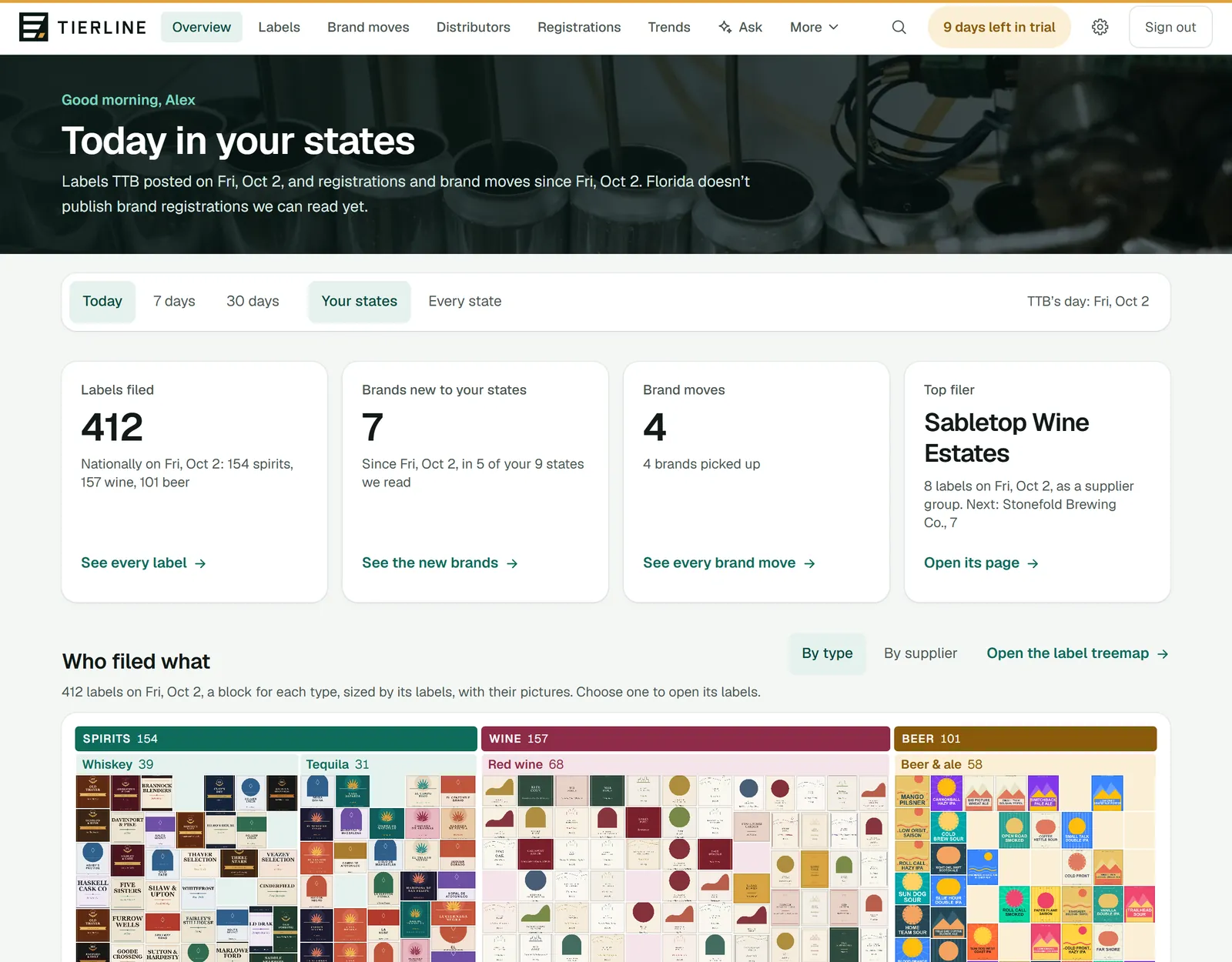
The overview is the morning glance and the way into everything else. It shows who filed what, as a treemap of the day’s labels or the last 7 or 30 days’; what’s new and what moved in your states; and who did the most. Every number, block and row opens the page behind it.
The period and four numbers
How to read it
- 1.
The period: Latest day (TTB’s newest day with labels, its date beside it, or Today when that’s today), the last 7 days or 30 days. Beside it, Your states or Every state we read. Everything below follows them.
- 2.
Labels filed: TTB’s new labels, nationally. Its link opens that day’s labels, or the period’s as pictures.
- 3.
Brands new to your states: brands registered in one of them for the first time. See the new brands lists every one.
- 4.
Brand moves: brands picked up, moved and dropped between wholesalers in your states.
- 5.
Top filer: who filed the most labels. A supplier group counts as one filer.
Good to know
- TTB publishes on working days and posts its approvals a few days late, so on a weekend the period is Latest day · Fri, Oct 2, Friday’s labels, and the heading says the same day. Registrations and brand moves count from that day to today.
- If one of your states doesn’t publish brand registrations we can read, the line under the greeting says so.
- While your free trial runs, the days left show at the top of every page, and in its last week the overview says so too.
Who filed what
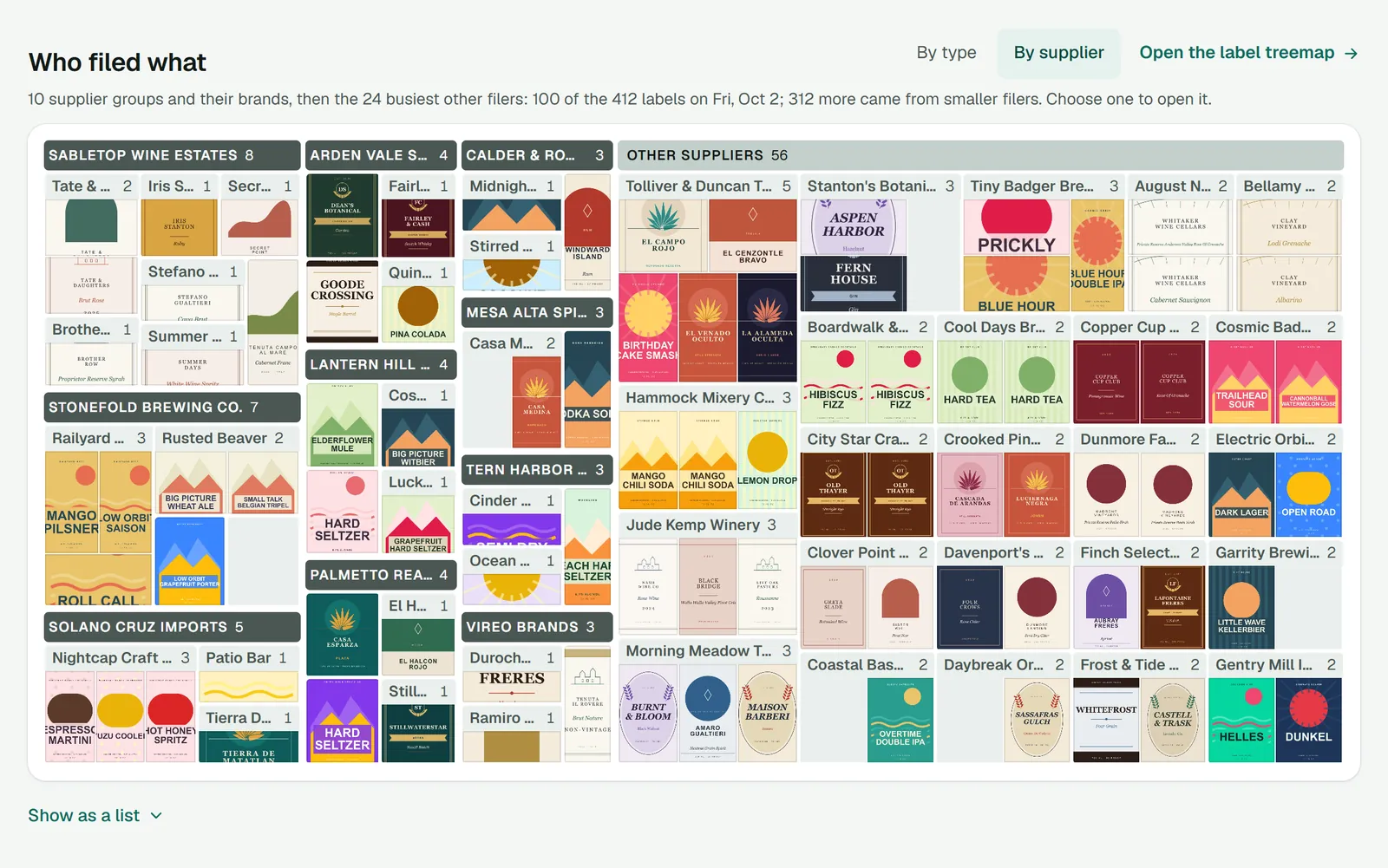
The treemap shows the period’s labels as blocks: the bigger a block, the more labels it holds.
How to read it
- 1.
By type (spirits, wine and beer, then each product type) or By supplier (the big supplier groups and their brands, then every other filer: the bigger ones by name, the rest together as Everyone else).
- 2.
Open the label treemap shows the same labels as pictures you can zoom into and open large.
- 3.
A top block’s heading opens its page: a supplier group’s, or the labels of a category.
- 4.
A block inside it opens a brand, a filer, or a product type’s labels. On a day it holds its labels’ pictures; over 7 or 30 days, its count.
What to do here
See who launched what today
Choose By supplier, then a brand’s block: its page has every label it filed and every state it’s in.
Use the keyboard
Tab to the treemap and move between its blocks with the arrow keys; Enter opens one. Show as a list, under it, lists every block.
See the labels filed from some states
Under Filed from, choose a state: the treemap keeps to labels filed by suppliers based there. Choose another to add it, or a ticked one to leave it out; Every state goes back to all of them. Your home states come first, with a house.
Good to know
- By supplier draws every filer. Those too small to name one by one are together in Everyone else, a block for each state they’re based in, a tile a filer; each opens the list of exactly those filers.
- TTB approves labels nationally, so a label is from a state only by its filer: the permit holder’s address, or the state in its permit number. That’s what Filed from chooses, not where a brand is registered.
Brand moves and the busiest
How to read it
- 1.
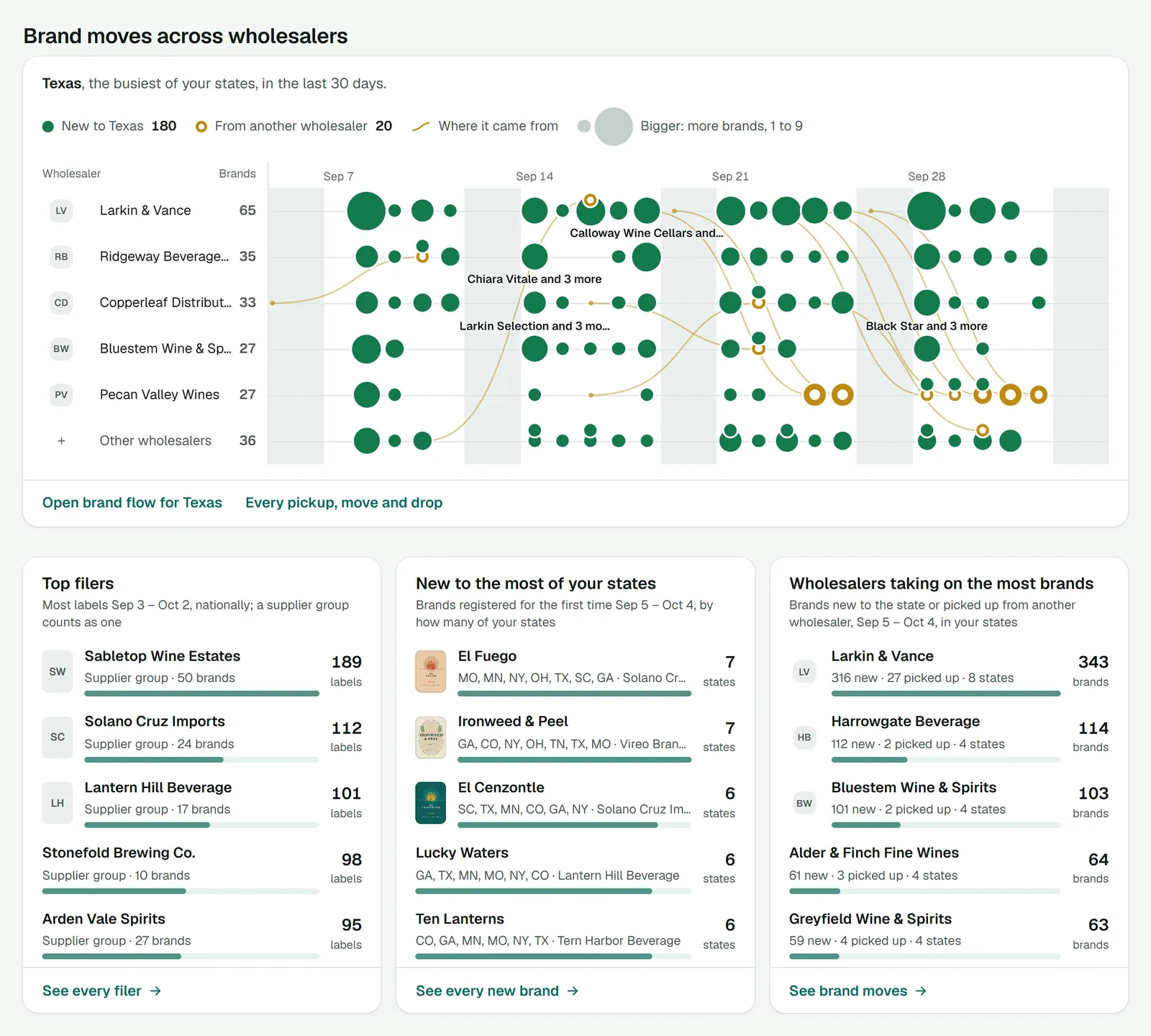
Brand moves across wholesalers: your home state that names its distributors (a chip for each when you have several), else the busiest of your states that does, a lane for each of its busiest wholesalers. A green dot is brands new to the state; a gold ring, brands from another wholesaler, with a curve from where they came. A wholesaler’s name opens Brand moves with only its brands.
- 2.
Top filers, the most labels first.
- 3.
The brands new to the most of your states.
- 4.
Wholesalers taking on the most brands: new to the state, or picked up from another wholesaler.
- 5.
Each list’s whole: every filer, every new brand, or Brand moves.
Good to know
- Every row opens its page: the supplier group or the filer, the brand, the wholesaler.
- Over today, the brand moves chart shows the last 7 days: a day is too short to chart.
Your briefing and watchlist
At the foot of the overview: when your next morning briefing comes, or that it’s off, and how many brands, suppliers and distributors are on your watchlist. Each opens its settings.