Ask
Ask answers questions about brands, labels, distributors and states in plain words. The answer is written by AI, but it can only look things up in Tierline’s own data, the same data as the pages, and every answer says where its numbers came from.
Asking
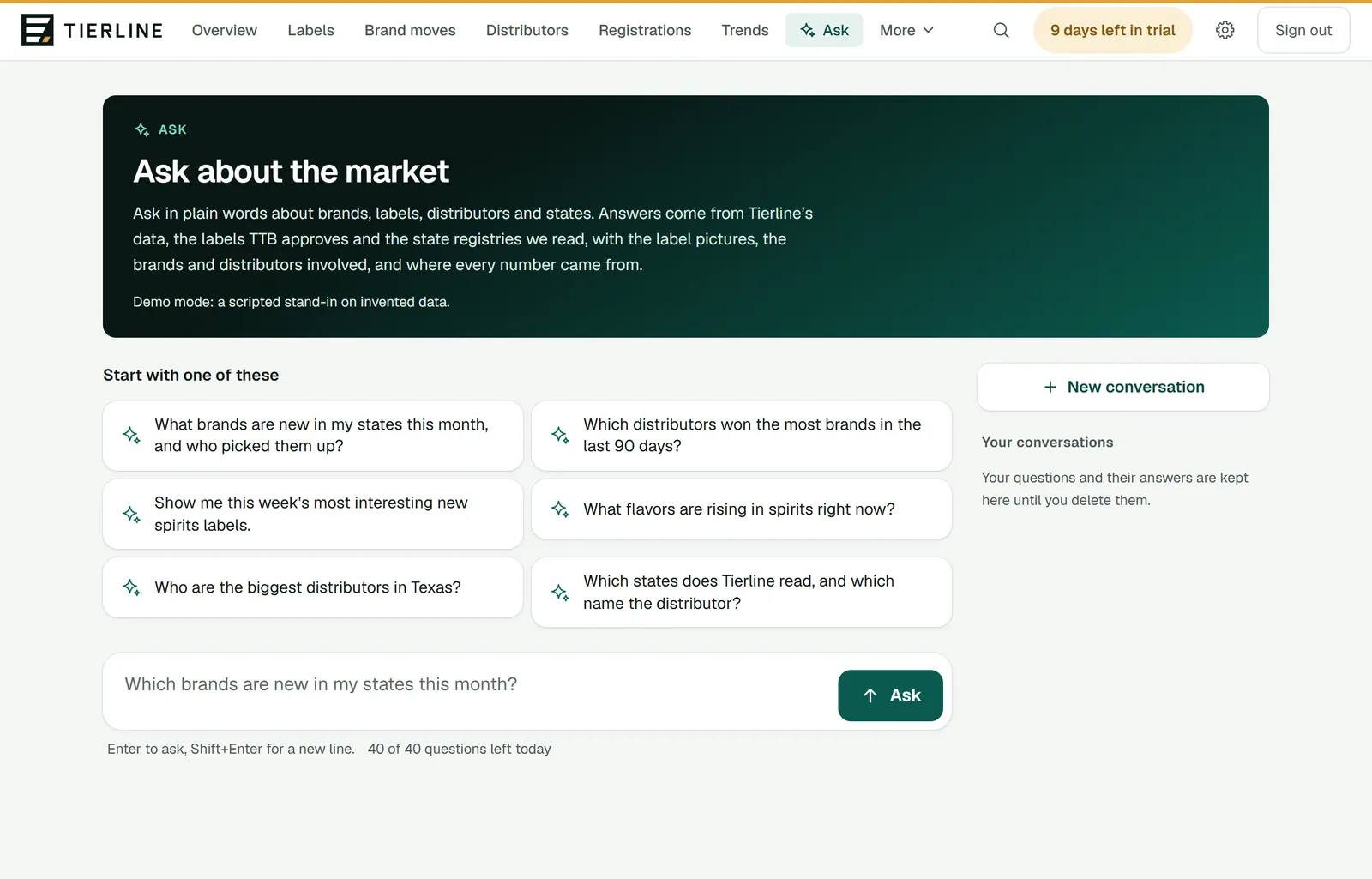
How to read it
- 1.
Six questions to start with, each a good example of what Ask does well.
- 2.
Your question, up to 1,000 characters. Enter asks; Shift and Enter starts a new line.
- 3.
How many questions you have left today: 40 a person, 150 for your whole team. The count starts again at midnight Eastern time.
- 4.
Your conversations, kept until you delete them. Open one to read it again or ask more.
What to do here
What to ask
Questions the data can answer: which brands are new in your states this month and who picked them up, which distributors won the most brands, the week’s most interesting new labels, which flavors are rising, the biggest distributors in a state, a brand’s states and distributors, what a supplier filed.
Say the state, the category and the period when they matter: “in Texas”, “spirits”, “the last 90 days”. Ask looks back a year at most, and at up to 12 states at a time.
Ask a follow-up
Ask again in the same conversation: Ask keeps the last few questions and answers in mind, so “and in Georgia?” works.
Reading an answer
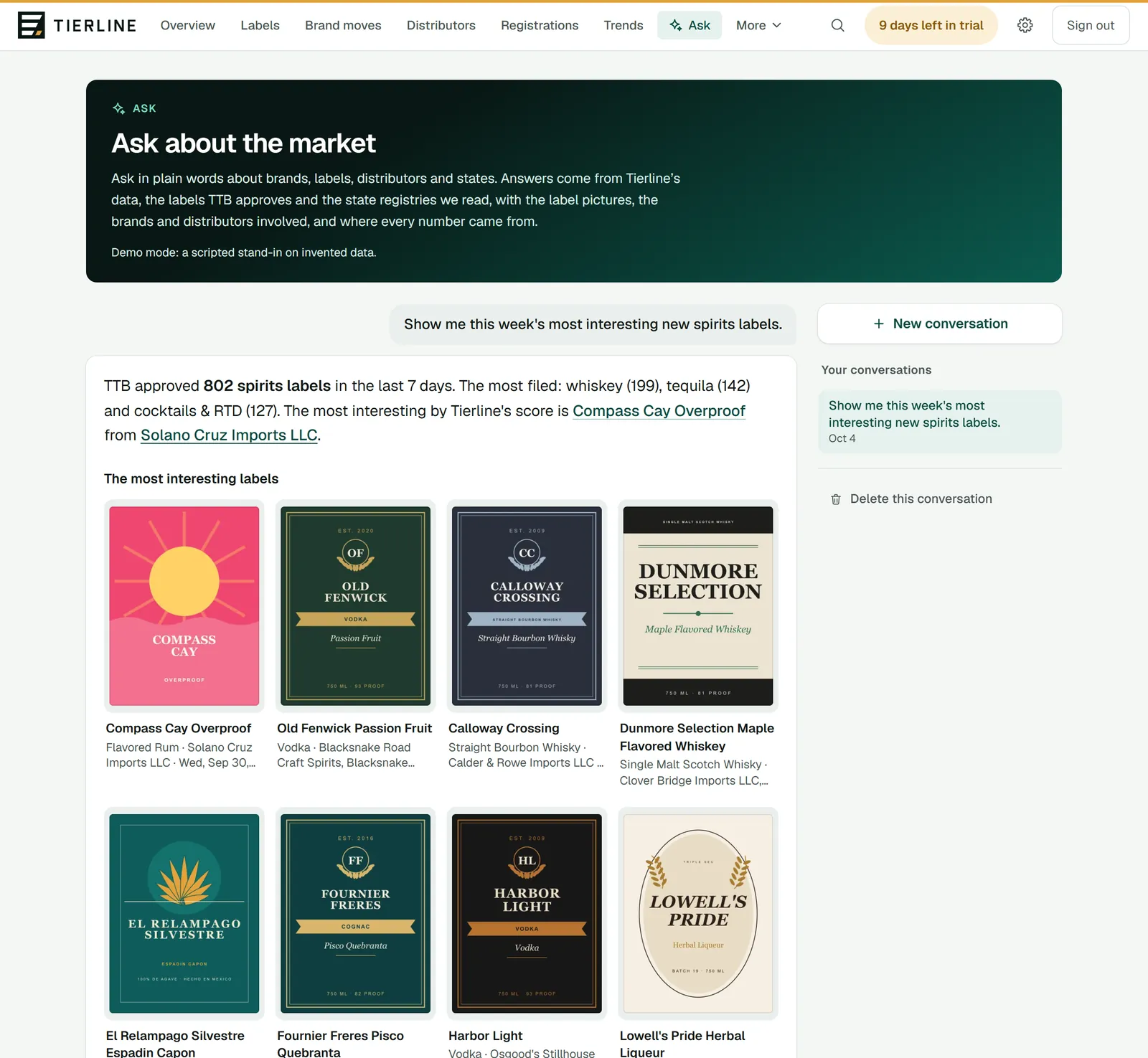
How to read it
- 1.
Your question.
- 2.
The answer: a few sentences with what it found, then what shows it, such as label pictures, brand and distributor cards, figures, a table, a small chart or the states. Names open their pages.
- 3.
A label’s picture opens it large.
Good to know
- Under an answer, Ask next offers follow-up questions to press, or type your own in the box.
- An answer can take up to two minutes. If you leave the page, it’s still finished and saved.
- Ask is new. If the page says Ask isn’t switched on yet, an admin hasn’t set it up for Tierline; everything else works as usual.
Where an answer comes from
Under every answer, Where this comes from shows how Ask got there, so you can check it.
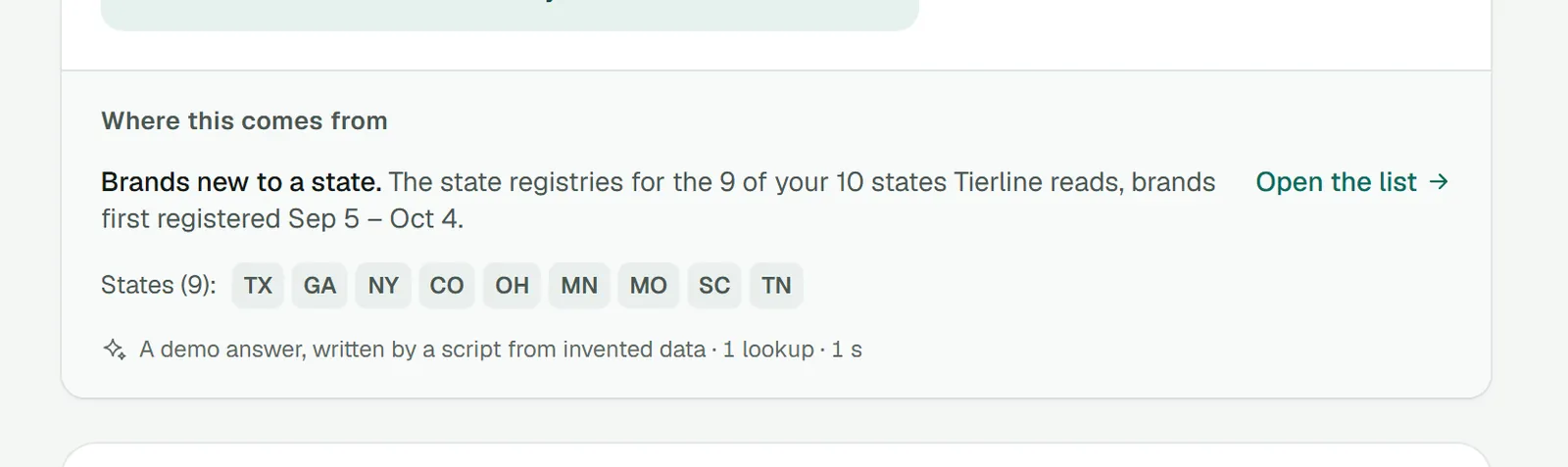
How to read it
- 1.
Each lookup Ask made: which data, which dates and which states.
- 2.
A link to the page in Tierline to dig further, such as the brands new to your states or Brand moves.
- 3.
The states the answer covered.
- 4.
How the answer was written (by AI, or in the demo by a script), how many lookups it made and how long it took.
Good to know
- Ask shows a picture, a card or a number only when one of its lookups returned it, so what’s drawn is the data’s. It doesn’t search the web.