Brands new to your states
A brand is new to a state on the day we first see it on that state’s list of registered brands. The overview counts them and shows the ones new to the most states; this list has every one, a page at a time, each with the company that files its labels, the distributors the state names for it and the states it was already in.
The list
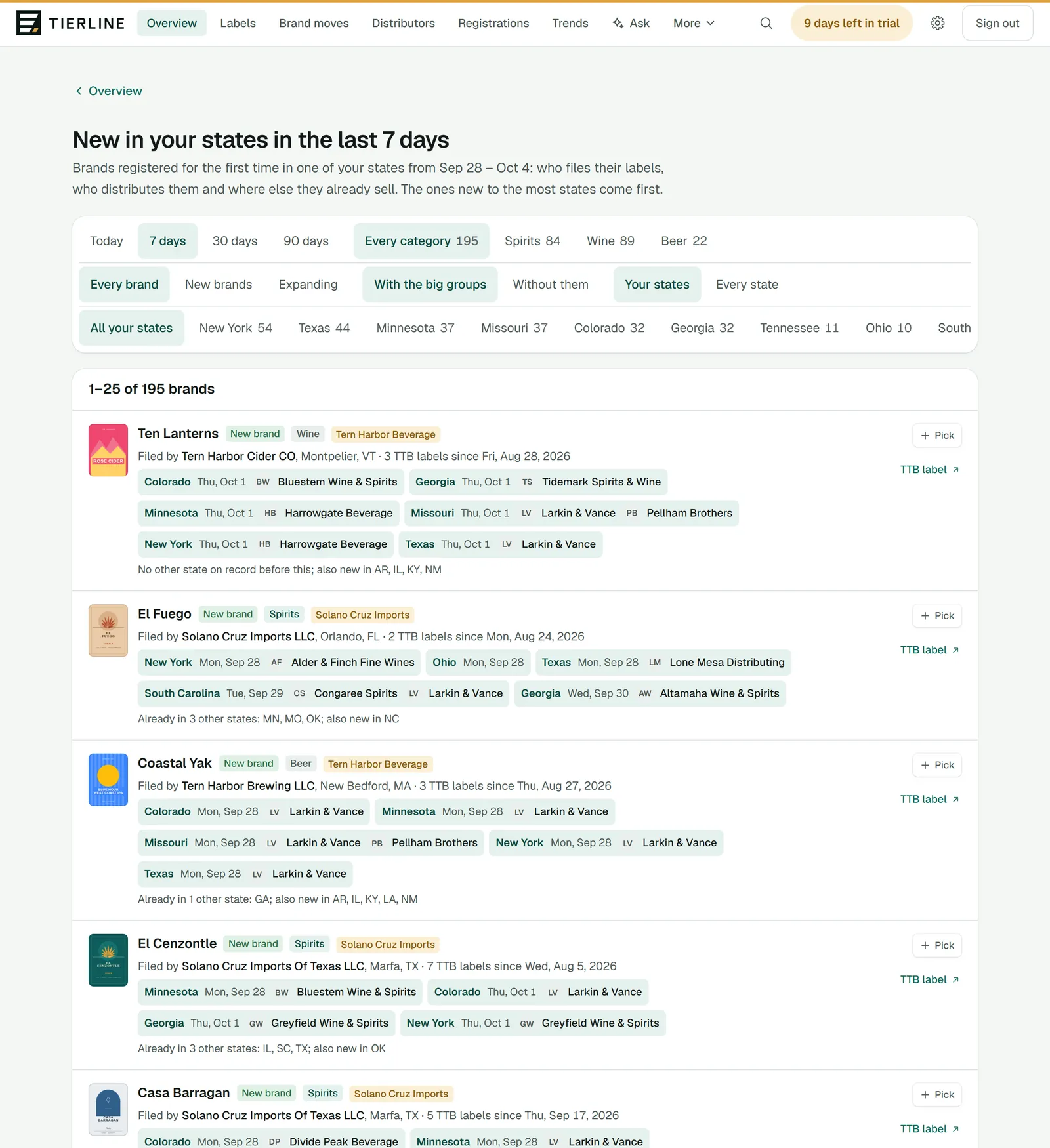
How to read it
- 1.
The period (today, the last 7, 30 or 90 days) and the category, each with how many brands.
- 2.
Which brands: every one, New brands (whose first TTB label is less than a year old) or Expanding (already registered in 3 or more other states). Then with or without the big supplier groups, and your states or every state we read.
- 3.
A state, with its count. All your states brings them back.
- 4.
The brands, those new to the most states first, 25 to a page. Next and Previous, at the foot, turn the pages.
What to do here
Check your territory each morning
Open the list on 7 days and read down it. Open any brand you don’t know: its page shows every state it’s in and who has it there.
Leave out the big suppliers
The big supplier groups have sales teams of their own. Without them leaves their brands out; With the big groups brings them back.
Reading a brand
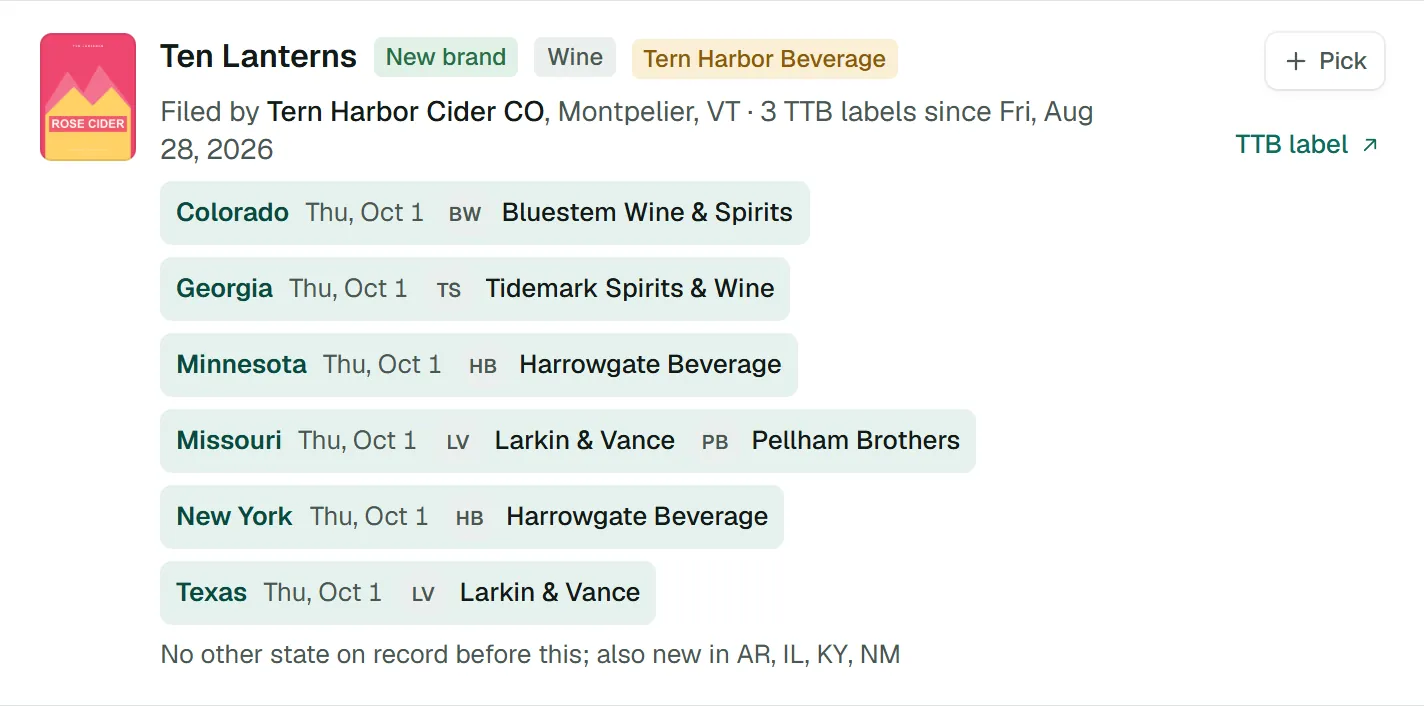
How to read it
- 1.
The brand, with tags: New brand if its first TTB label is less than a year old, its category, and its supplier group if it’s one of the big ones. The name opens the brand’s page.
- 2.
Filed by: the company that files its labels, often the one to call, and where it is. It opens the supplier’s page.
- 3.
Where it’s new: each state, the day we first saw it there, and the distributors the state names.
- 4.
The states it was already registered in, and where else it’s new.
- 5.
Pick keeps its newest label to send on; TTB label opens its approval on TTB’s site.
What to do here
Send labels to a colleague
Press Pick on the brands worth a look; picks follow you from page to page. The tray at the foot of the screen downloads them as pictures and a spreadsheet, shares them from your phone, or emails them with a note of yours.
Good to know
- We read each state as often as it changes its list: most every day, some weekly, monthly or quarterly.
- Brand names are matched to TTB’s labels as they’re written, so a brand registered under an unusual spelling can show apart from its labels.