Map
The Map shows where new labels come from. Each label counts in its filer’s state: the permit holder’s address, or the state in the permit number.
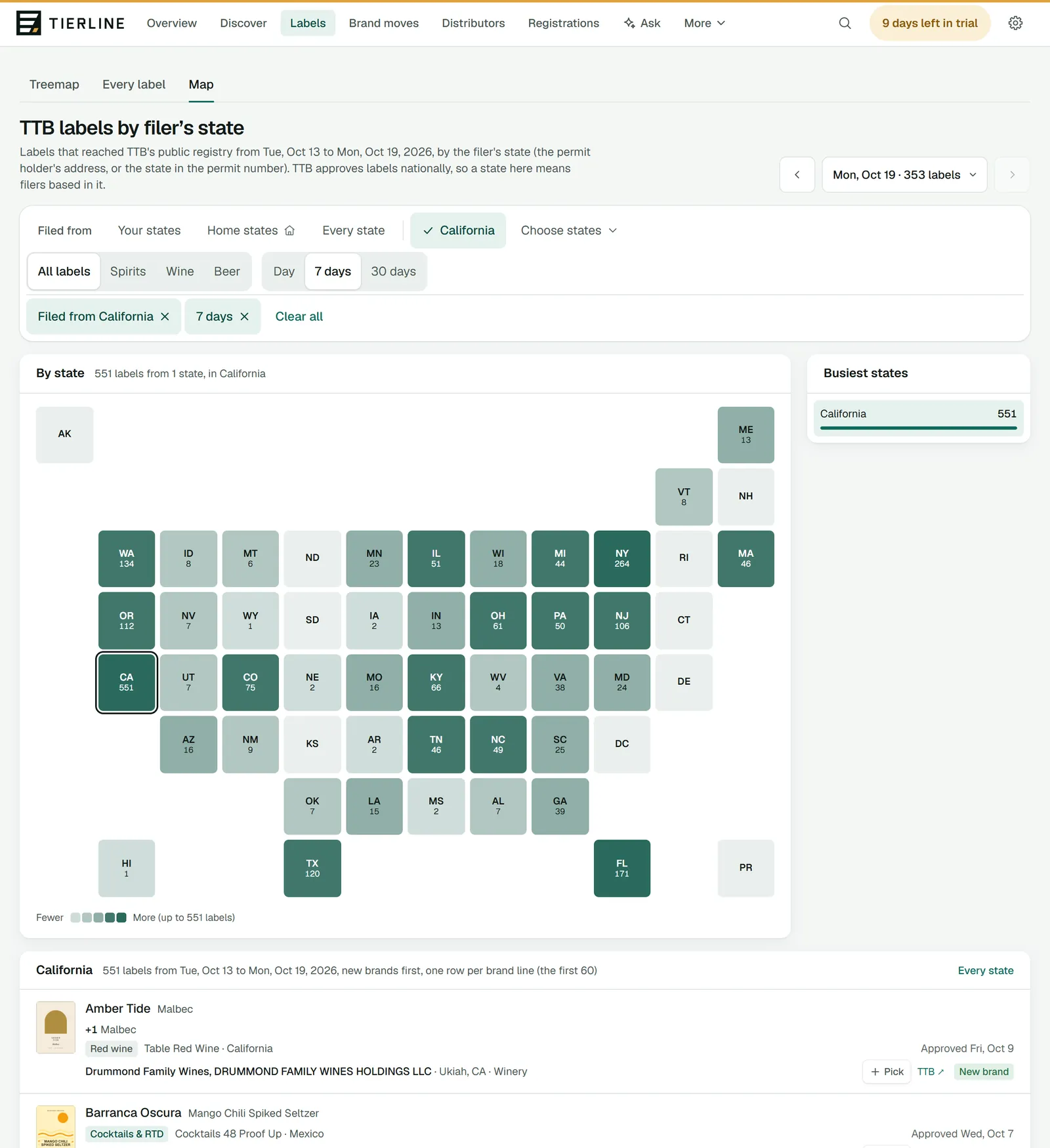
How to read it
- 1.
The period: a day, 7 days or 30 days, up to the day you choose.
- 2.
What to count: every label, spirits, wine or beer.
- 3.
The states, shaded by the count. Choose one to list its labels.
- 4.
Busiest states, most first.
- 5.
The chosen state’s labels, new brands first, a row per brand. Every state puts it away.
What to do here
See who’s filing near you
Choose your state and 30 days: the local makers and importers launching products.
Good to know
- This is where labels are filed, not where they’re sold. Where a brand is sold is on Registrations and on its brand page.
- If your company sells only one category, the Map counts it, with a chip such as Wine only among the filters: press it, or All labels, to count every label.