Brand pages
Every brand’s name in Tierline opens its page: the brand across TTB’s labels and every state we read.
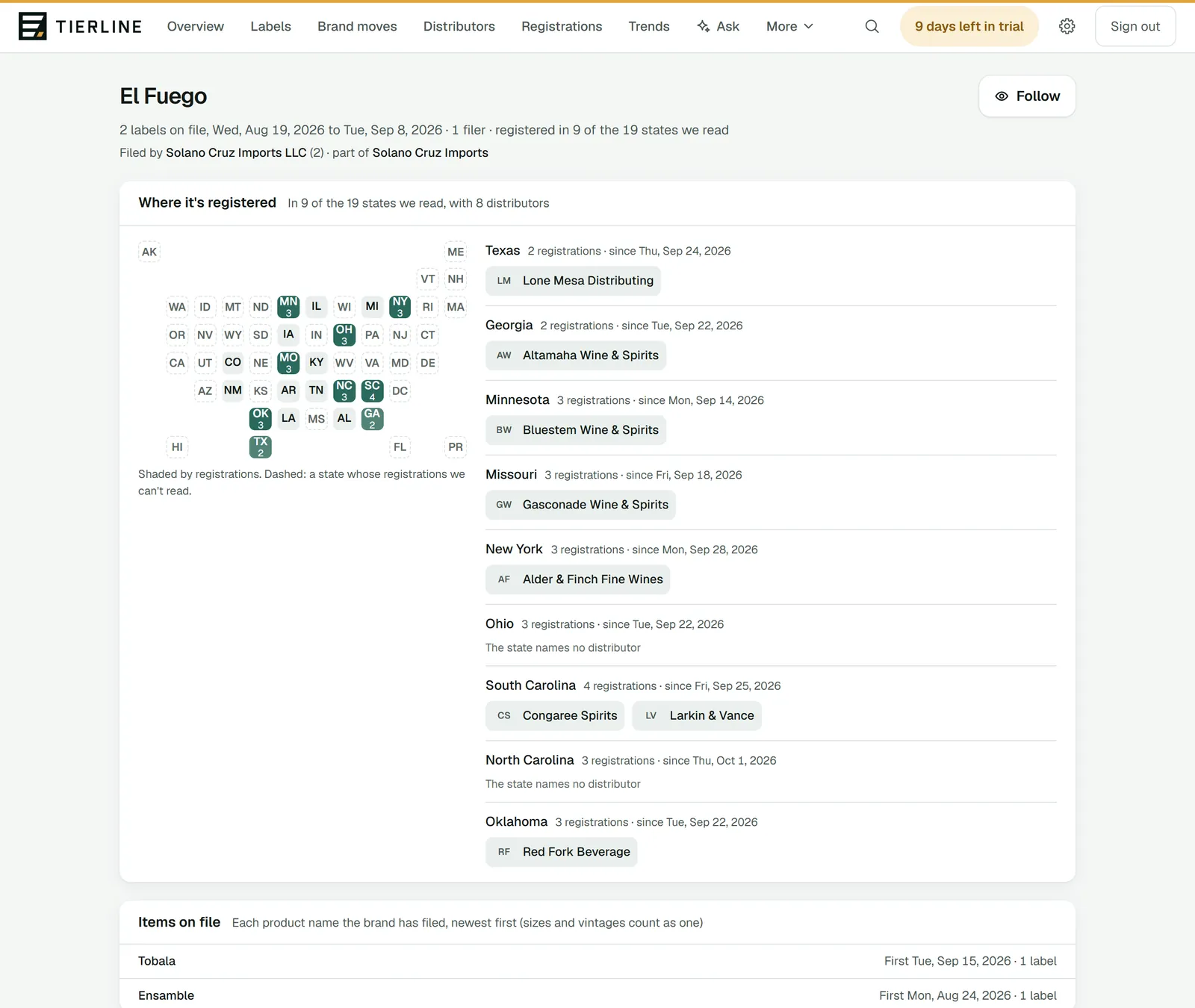
How to read it
- 1.
Follow puts the brand on your watchlist: your briefing tells you when it’s new in a state or files a label.
- 2.
The brand: its labels on file, from the first to the newest, and in how many of the states we read it’s registered. Filed by names the companies that filed its labels, the most first, and its supplier group; each opens the supplier’s page.
- 3.
Where it’s registered: the states we read, shaded by its registrations, beside each state and since when.
- 4.
The distributors each state names for it. Your home state comes first, then your other states.
What to do here
Find out who to call
Look at Filed by for the supplier, and at your state’s distributors for who carries it there.
Good to know
- Further down: Items on file (each product name the brand has filed) and every label, newest first. A few states whose records say more have a section each.
- Where a state names no distributor, the page says so rather than leaving a gap.