Skip to content

What’s new

New in Tierline

Newest first. For how each part works, step by step, read the user guide.

  1. One overview

    Home, Today and Radar are one page now: the overview, where Tierline opens. Choose today, the last 7 days or the last 30, in your states or every state we read. Four numbers first: the labels filed, the brands new to your states, the brand moves and the top filer. Then a treemap of who filed what, by type or by supplier, with every label’s picture on a day; brand moves across wholesalers in your busiest state; and the top filers, the brands new to the most of your states and the wholesalers taking on the most brands. Every number, block and row opens the page behind it.

    In the app: Overview, first in the menu. Links to Home, Today and Radar open it.
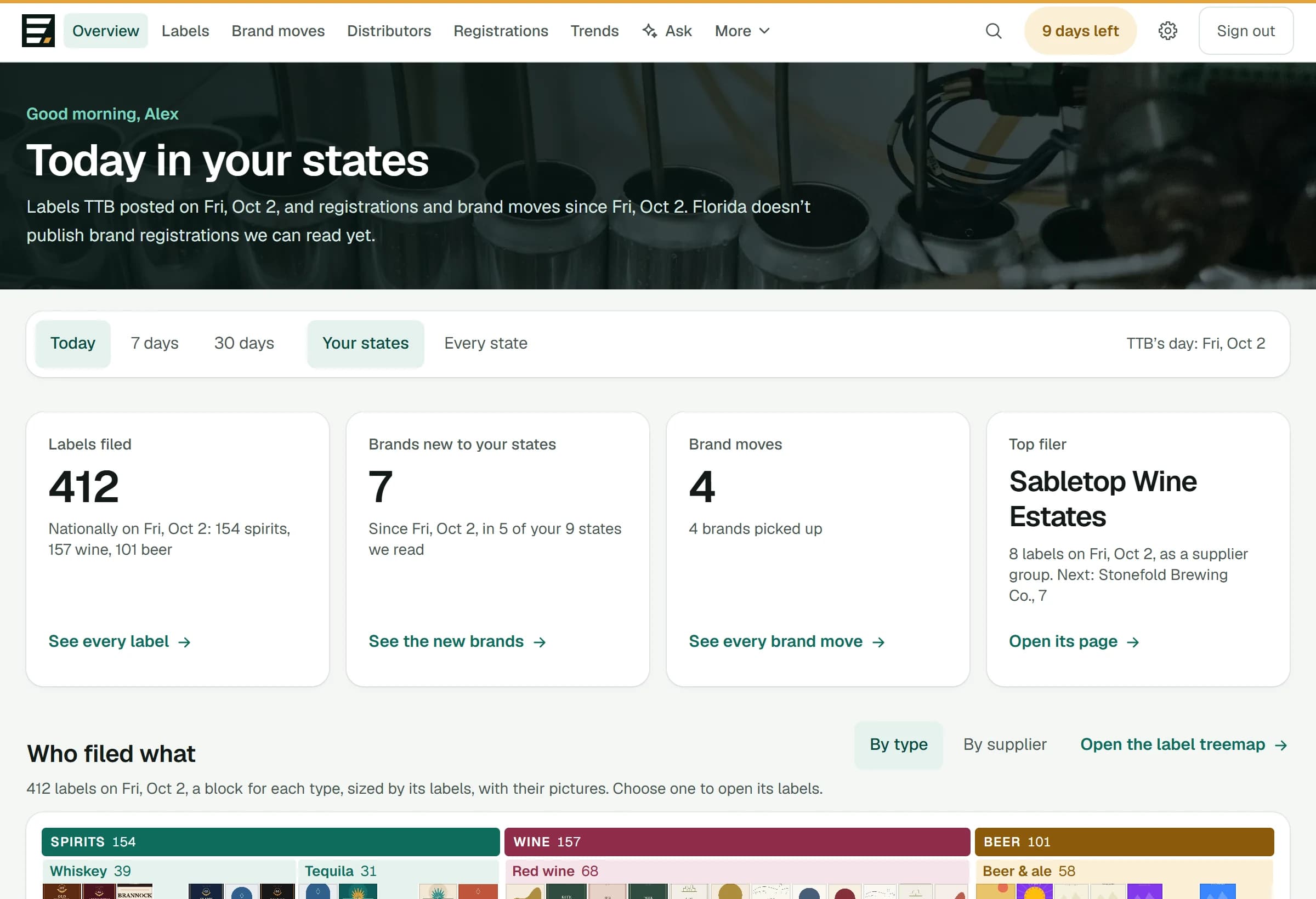
    Tierline's overview: today in your states, with the labels filed, the brands new to your states, the brand moves and the top filer, over a treemap of who filed what
  2. Ask about the market

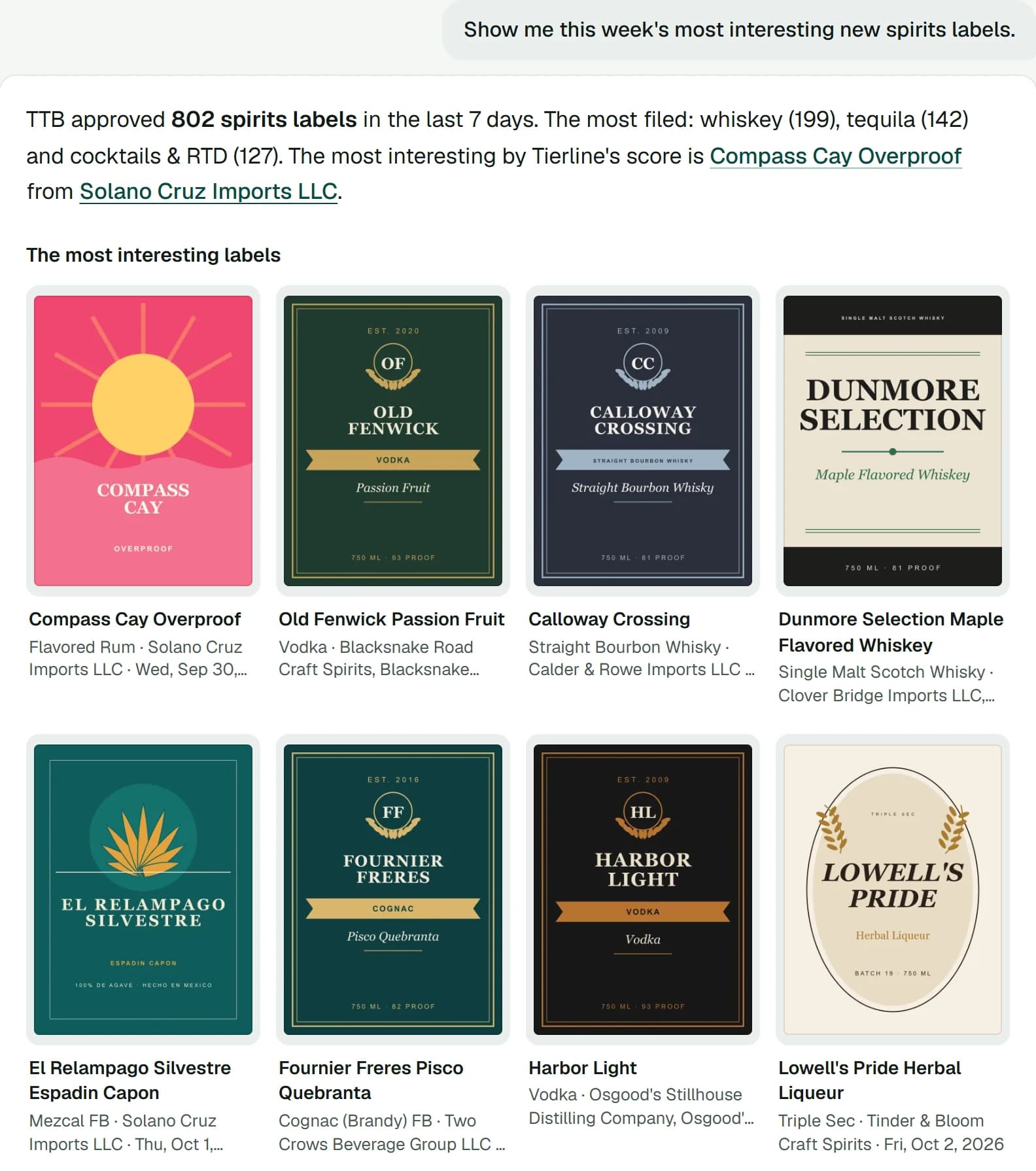
    Ask in plain words: which brands are new in your states, who picked them up, which distributors won the most brands, what a supplier filed, which flavors are rising. Answers are written by AI from Tierline’s own data and nothing else, with label pictures, brand and distributor cards, tables and charts, and under each answer, where its numbers came from.

    In the app: Ask, in the menu. Up to 40 questions a person a day.

    An answer in Ask to “Show me this week's most interesting new spirits labels”: how many labels TTB approved, the most filed, and the labels themselves, with their pictures
    A sample answer from Tierline’s demo, where a script stands in for the AI and the data is invented.
  3. Where a supplier’s brands are

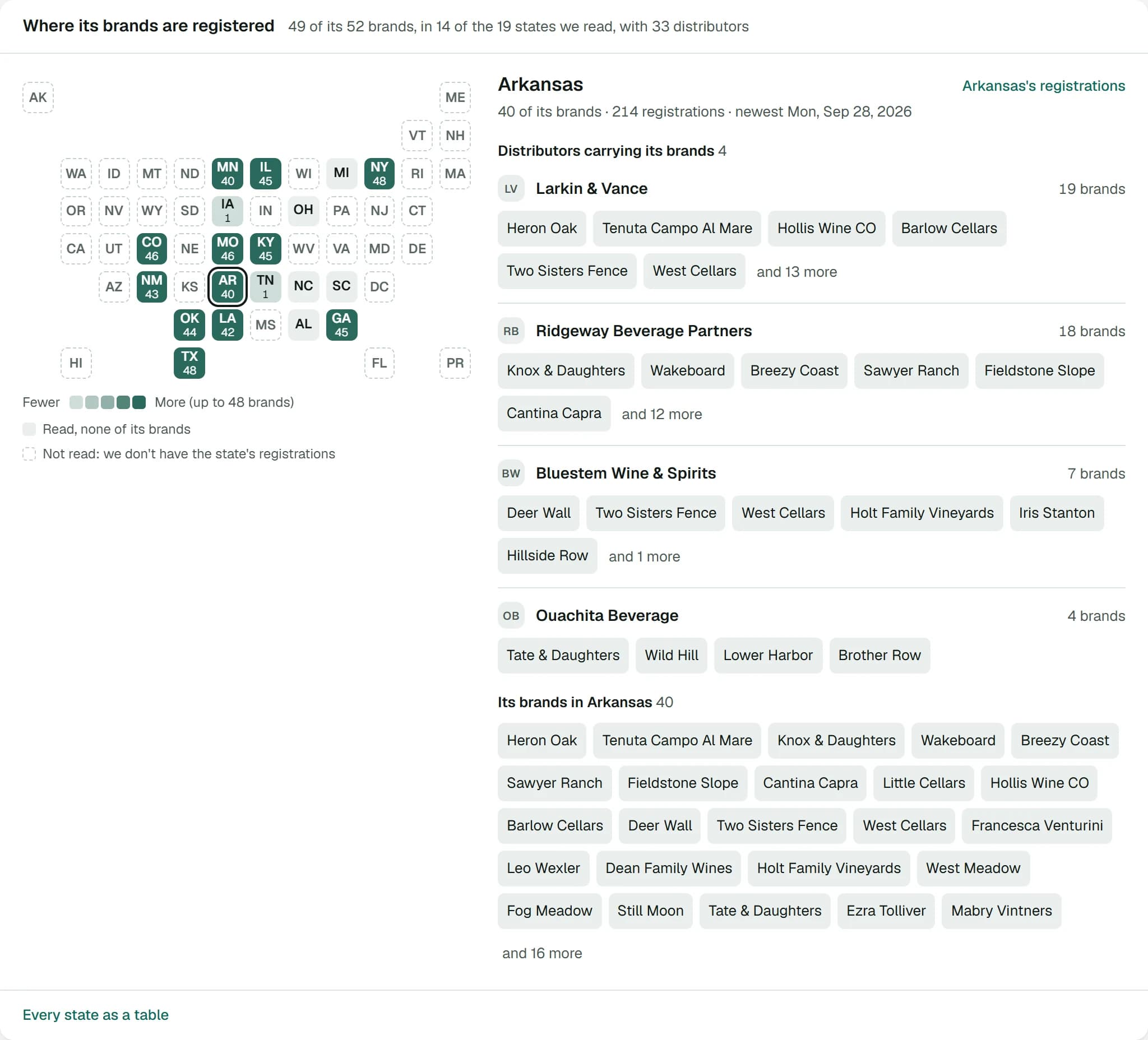
    Every supplier and supplier group page opens on a map of the states we read, shaded by how many of its brands are registered in each. Pick a state to see the distributors carrying them there. Below the map: its footprint in figures, the distributors with the most of its brands, its newest registrations, its brands moving between wholesalers, and its active labels with their pictures.

    In the app: any supplier or supplier group.

    A supplier group's page: a map of the states where its brands are registered, shaded by how many, and for the state picked, the distributors carrying them and its brands there
  4. Brand flow

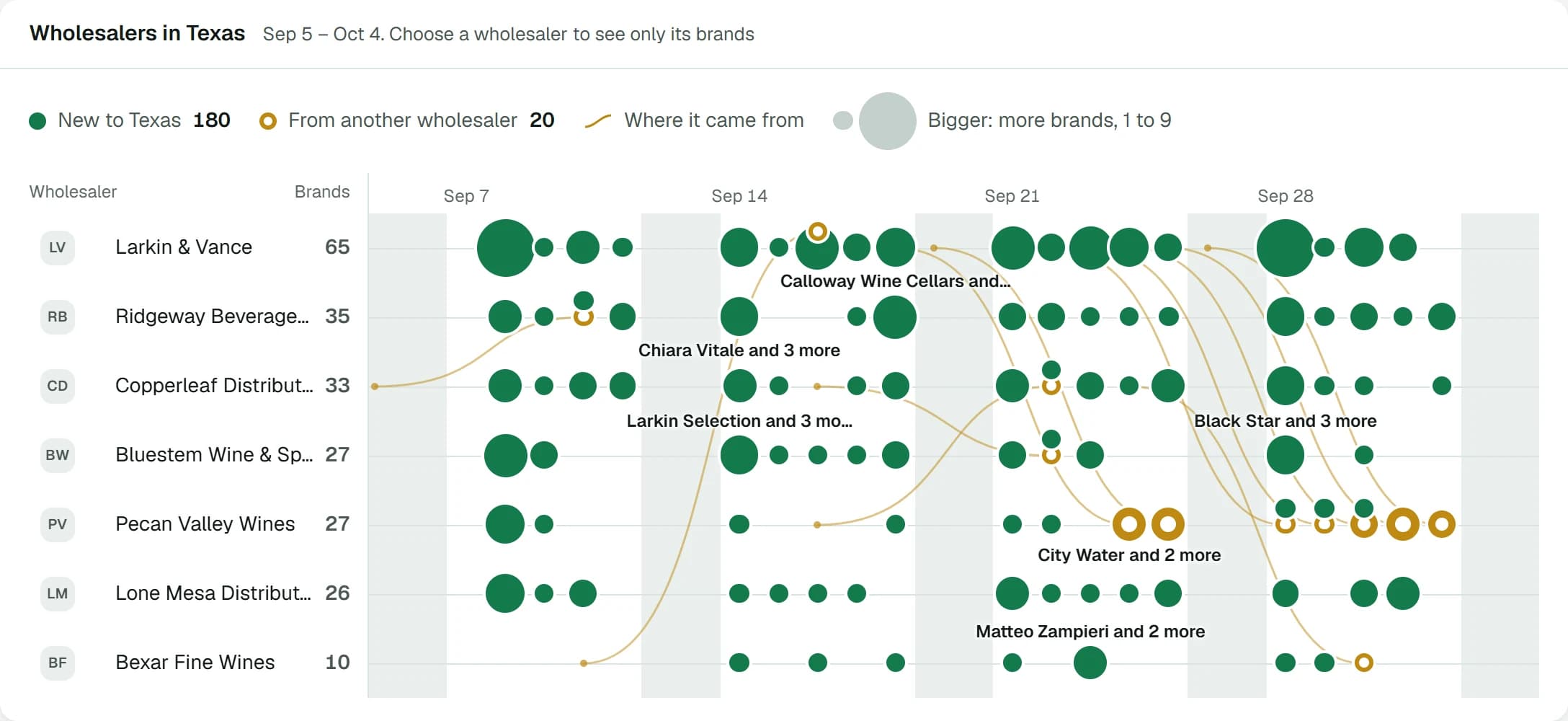
    One state’s wholesalers, day by day, over the last 7, 30 or 90 days, or week by week over 12 months. A dot marks the brands each one took on: green for brands new to the state, a gold ring for brands picked up from another wholesaler, with a curve from that wholesaler. A slider under the chart narrows it to the days you choose. For the states whose registrations name the distributor.

    In the app: the chart at the top of Brand moves, and compact on the overview.

    Brand flow: one state's wholesalers day by day, with the brands each took on, new to the state or from another wholesaler, and a curve from where each came from
  5. The label treemap

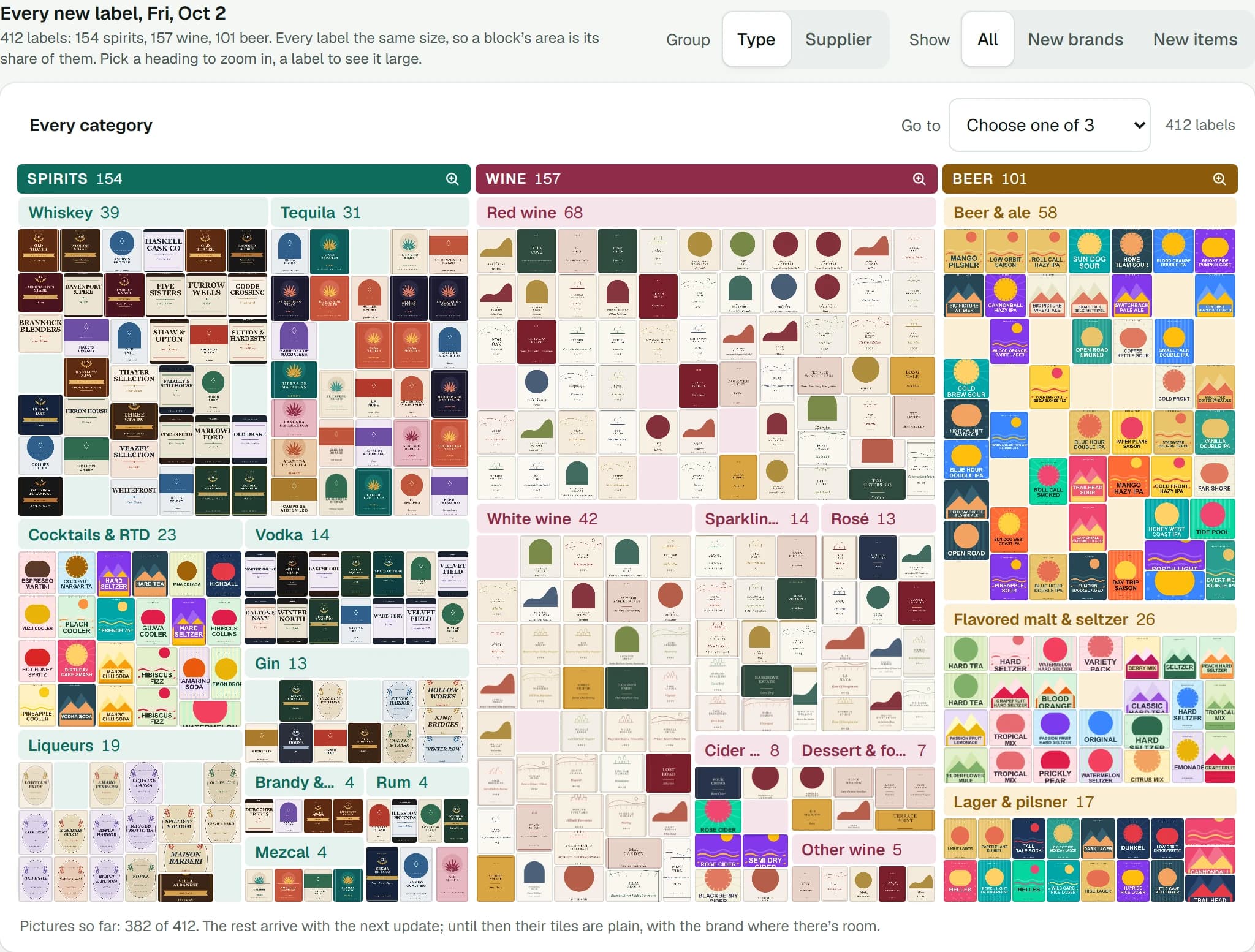
    TTB’s labels as one picture: every label of a day, or the highest-scoring of the last 7, 30 or 90 days, grouped by type (tequila, whiskey, red wine, beer and ale) or by supplier. Zoom into any block, or show only new brands or new items.

    In the app: Labels, then Treemap; open it from the overview too.

    Every new label TTB approved in a day, as a map of label pictures grouped by category
  6. Your briefing waits for that morning’s data

    It still comes at the hour you choose, but never before that morning’s update is in. If the update runs late, the briefing comes as soon as the data lands. By noon your time it comes anyway, with a line saying the update hadn’t finished.

    In the app: Settings, then Briefing.

  1. Brand moves

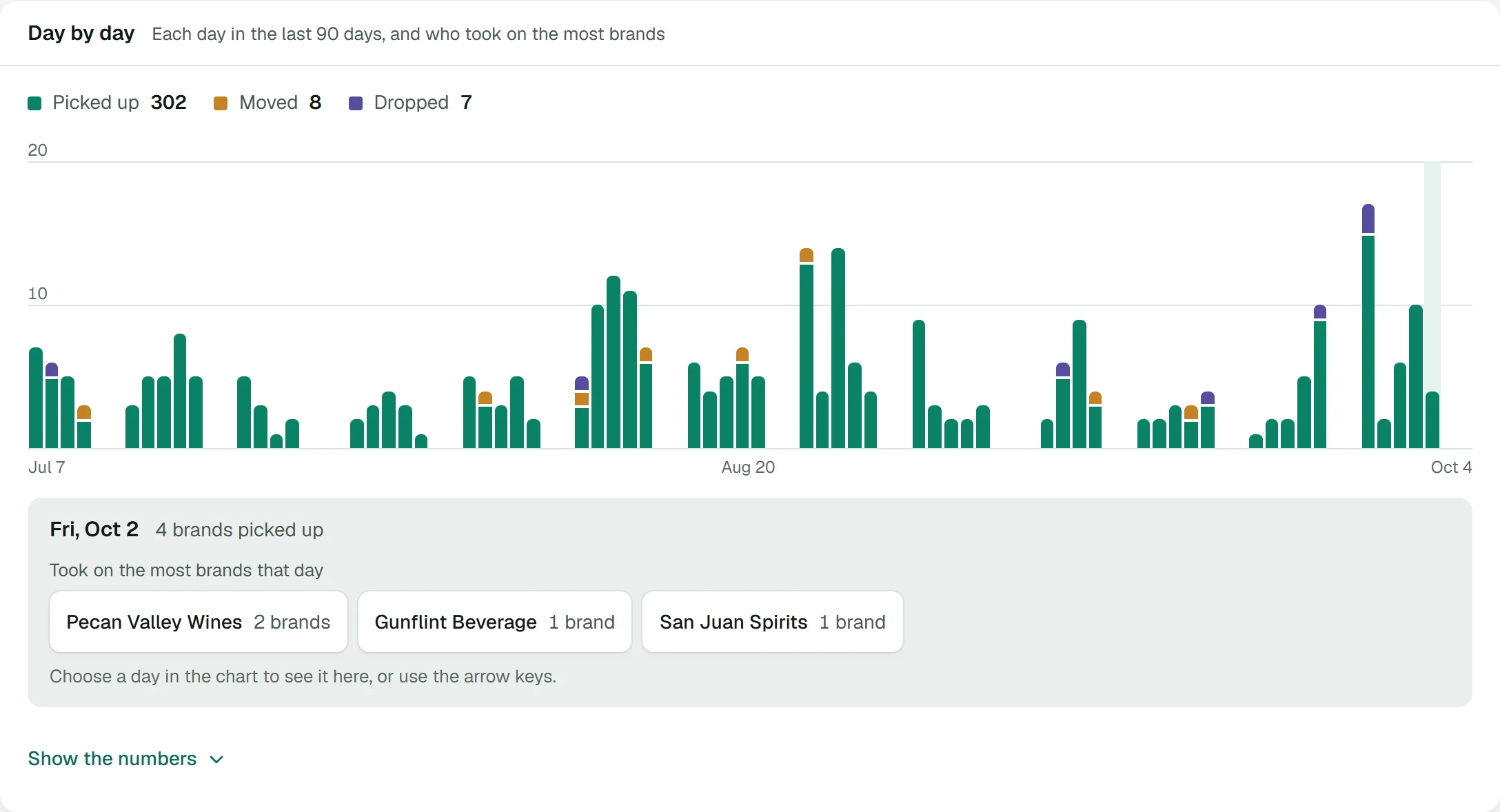
    Brands going from one wholesaler to another, in the states whose registrations name the distributor: who picked up a brand another wholesaler already carried, who dropped one, and which brands moved. A day-by-day chart of who took on the most brands, who picked up whose brands, and every line. Each distributor’s page shows what it won and lost, and your briefing can carry the week’s moves.

    In the app: Brand moves, in the menu.

    Brand moves: brands picked up, moved and dropped between wholesalers each day for 90 days, and the wholesalers that took on the most brands on the day picked

See it for yourself.

Sign-ups are closed for now. Ask for access by email.

Request access